students, technology

My Students Are Not Digital Natives

My students are not digital natives.  There I said it.  They are digital consumers, much like the rest of us, but natives, not so much.  I used to believe in the whole digital native myth and that if I just gave them a device they would be able to make it work and adapt it to their needs.  Make it work; sure, adapt it; not really.  Push themselves beyond their comfort level; very rarely unless they have an interest in all things technology.  Yes, most of them are afraid of technology just like many adults.   Most of them don’t want to just figure things out even when I encourage them to, they would rather just be told how to use it and then use it for that specific purpose only.  So even though I tell them to just figure it out, my 5th graders would laugh if anyone called them digital natives, and then they would ask what that term even meant.  So why do we persist with the pushing of the digital native persona?

Tonight I asked that question on Twitter, or rather I made a statement:

As always Twitter did not disappoint…


So what are our students?  Do we really need to label them?  I like to think of my students as kids who like technology a lot, but I have never called them that.  Should I?  Should anyone?

guest blog, student blogging, technology

Tangled in the Web 2.0

With the arrival of our twins, I asked for guest bloggers and was excited to share this post with all of you by Melanie Samson-Cormier…

Though I teach in a French first language school, the fact that we are such a tiny minority in our area means that most of our students actually learn French as a second language and speak English most of the time. Because of this, I am always searching for authentic situations where students can express themselves in French. I’d been hearing so much about student blogging and Twitter in the classroom that I decided to give it a shot, figuring it could be an excellent way to have students reach out and make contact with other French-speaking students their own age.
This past year, I worked as a support teacher for students who are having difficulty with the language. I had three students at the junior high level and I decided to start tweeting with them. I wanted to start small. I created a collective Twitter account (@elevesNL) for them and I coached them on how to use it. I also scoped out some student blogs for them to read and discuss.
Unfortunately, my students were not invested in the project. They didn’t seek out new blogs or Twitter accounts. They had little or no interest in reading or commenting, composing their tweets and comments only out of obligation. Finding little use in the project, I was preparing to wrap it up when I had a Eureka moment. While cruising the Twitter feed with a student, I asked if there were any tweets that piqued his interest, hoping to get him to @reply. He answered “Unless someone is talking about Pokémon, then no.” AHA! Most of my students have a learning disability or are considered at-risk. Yet the majority of the student blogs and Twitter accounts I had found discussed what was going on in their classroom, projects they were working on and general school-related activities. School is not easy for my students. Why did I think that reading blogs and tweets about school would interest them? Taking my student’s comments to heart, I helped him search for Pokémon blogs in French. He found one and immediately started reading (reading!), with great interest (wow!) He seemed to know the subject matter so well that I asked if he’d be interested in writing his own Pokémon blog. He responded with a resounding “YES!” and I was finally able to see firsthand what social media and blogging can accomplish in the classroom. My student who used to pout when I arrived began to stop me in the hallway to ask me if we have a session.
The moral of the story: As always, technology in the classroom only engages students if it’s used for meaningful communication that takes students’ interests into account. It’s not what you use, but how you use it.

Bio:
Melanie Samson-Cormier has taught in minority francophone schools in rural Newfoundland, Canada for 7 years and is now beginning a new life as a cognitive strategies instructor at the University of Alberta. She blogs in French at www.entrelesbranches.org.

assumptions, students, technology

Some Say They Are Too Young, I Say, "Trust Them…"

My kids being kids

Even though my fifth graders may beg to differ, they are just kids. Wonderful, young, impressionable things, eager to change the world, kids that have lived a little and still have much to learn. They are young, indeed, but passionate, open, and never ever afraid of a challenge. And yet most just see their age, their made by date, and definitely their grade level.  So should I be surprised when critics claim they are too young for more advanced technology? That serious use of technology shouldn’t really start until middle school, that fifth grade is just too early?

I suppose I could be upset at statements that try to limit what my students are capable of.  I suppose I should fire back with witty sarcasm or scathing words. I suppose I should bring that anger home and fume over peoples’ assumptions. But I don’t, at least not anymore. Instead I plot and plan, I reach out to those who have great ideas and I get really really stubborn. We shall show them after all.

So when some think Prezi is too hard for ten year olds we prove it is not. Or when people are not sure that my students should blog because what could they possibly have to share, we become role models for others. Flip video cameras may have been killed off but in our classroom the students grab them whenever they get a chance to document their learning. PowerPoint becomes an entry point into creation with other possibilities beckoning us further.

They may be young my students, but they are not afraid. So tell us we cannot do something, or even better, tell us that we are really too young to figure it out, and I will show you 22 students that disagree. I will show you 22 students that cannot wait to prove you wrong, after all, you wouldn’t be the first.

New Adventure, Student-centered, technology, video

Well Hello Adobe and Thank You For Coming To Our Room!

Being a teacher with pretty tech savvy 5th graders means I am constantly on the look out for ideas of how to integrate technology into our lessons.  And while I do love technology, I never want to integrate it just for the sake of the tool, but rather to ensure a deeper level of exploration and inquiry for my students.  We use Flip video cameras quite a bit in our room whether to record our learning, create video projects, or even make presentations for other students.  Yet whenever we had recorded footage we always ran into a major obstacle; no editing software other than Flipshare or Windows Movie Maker.  And sure these programs work alright, they just are not that kid friendly and definitely not up to what our students want to create.  So when Adobe contacted me and wanted to know if I would be interested in trying out some of their software for them and then review it, I jumped at the chance.  Maybe, just maybe, their Premier Elements software is exactly what we have been looking for.

So I told my students about this opportunity and they got as excited as I did.  I am in constant awe of their fearlessness of new technology.  Talk about a huge lesson we as teachers should learn!  Yesterday the software was finally installed on my computer at school thanks to my awesome tech integrator Linda and I cannot wait to have the students use it.  So far the first project we will use the software for will be creating 5th grade survival videos for the incoming 4th graders as a way of working on our script writing and fluency/expression.  I cannot wait to share our honest opinion about the Adobe software and how it worked in the hands of my talented 5th graders.

So from time to time, you may see a post about Adobe and as always it will feature my unbiased opinion – or even better, that of my students. I am as curious as many other elementary educators whether Adobe software can be used at our level, so there will be no holds barred when it comes to reviews.  For now, if you already have access to Adobe software at your school, do check out the Adobe Education Exchange; super great resource for ways to integrate their technology created by other teachers.  I have been exploring it and finding it easy to access and search for grade specific resources.

students, technology

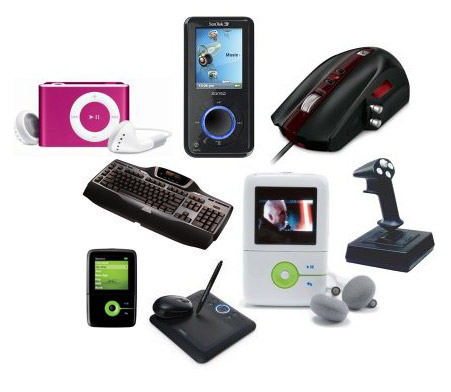
It Is Not About the Gadgets – Why Every Teacher Should Have to Integrate Tech Into Their Classroom

Image from here 

I once sat on an interview committee in which the candidate p[proudly proclaimed that to integrate technology her students would use word processors and publish their work in a monthly book.  My toes instantly curled.  It wasn’t so much that she had used the words “word processor” but rather that she thought tech integration meant to have students type on a computer and then publish their work, that that would make them ready for this century of jobs.  So a couple of things come to mind whenever we discuss tech integration in schools.

  • Students have often more seamlessly integrated technology into their lives than their teachers and didn’t even need to take a class on it.  
  • We chalk this up to them being digital natives or because they have an interest in it.  Yet not all children are digital natives and most of them have had role models that show how to use the technology.  They also know that tech is valuable and can add to their lives rather than detract from something else.  

  • Some teachers assume that clicking on a SmartBoard or having students type their papers mean that they are “integrating” tech.  This is one very limited usage of tech, in fact, it doesn’t really count as integration.  True integration is when a student decides to film a video to show whet they have learned rather than create a poster.  True integration is when students have ideas and fearlessness to use technology to show their learning as a natural extension of the classroom.  Not to type a paper.  
  • There seems to be no urgency when it comes to actual technology integration into the classroom, but more of an urgency on how to buy the flashiest gadgets and then offer limited training or support.  How often do we hear about a district that has spent too much money on 30 SmartBoards, 100 iPads and how they will be placed in the hands of the students to enhance their learning?  How often do we then hear about the support they will offer their teachers or how those products will actually be used to enhance learning?  There seems to be an assumption that if you give they will use it effectively, which we all know is not true.  Some teachers might, but most will use it superficially and after a while the product will languish, unused, outdated, and just another relic of someone’s hastily thought out idea.
  • Some teachers feel that integrating technology is optional.  Integrating technology is no more optional than teaching how to use a pencil.  And while many may find that extreme, we cannot equip our students with the skills they need to be successful learners and teachers without teaching them to use technology properly.  Many schools see typing as a necessity but then cannot bring that view into how to stay safe on the internet, how to search properly on a computer and myriads of other things that technology can offer us.  How to use computers effectively is now a life-skill and as teachers it is our job to equip students with these.
  • Teachers who have been labeled “techie” teachers are sometimes viewed as a one-trick pony, that is all they are passionate about and therefore they cannot possibly have an effective classroom.  I certainly am one of the techie-teachers in my classroom but many are surprised at how little we use tech on a day to day basis.  That is not to say we don’t use it, because we do, but we also do many other things.  In fact, using a tech tool is just one option my students have to show their learning.  What I do practice is fearlessness in tech usage and that I pass on to my students.  Not that they always need to use some sort of tool, we use our pencils more than a computer, but that they can effectively use whatever whenever they need to.
  • Teachers think they have a choice in their classroom.  I am sorry but the choice should not be teachers’ anymore; every school should have an effective technology integration curriculum to offer students the skills they need.  We do not have a choice in teaching literacy or math and should not be given one when it comes to technology.  This is not about what WE want the kids to know but what the KIDS need to know.

And I am sure I could continue the list, however, these are my main concerns.  We cannot afford to not focus on proper technology integration in our schools.  It is not about the gadgets, it is not about the typing, it is how to use technology tools fearlessly, respectfully, and effectively.  All things every teachers should be teaching, no excuses.